AI agents are useful when the work is bounded. They are dangerous when the workflow is vague and nobody owns the miss.
That is the part most teams skip. They test prompts. They compare tools. They watch a demo where the agent drafts an email, updates a CRM, and summarizes the call. The demo looks clean because the handoff is hidden.
Real operations break at the handoff.
Who approves the output? Who sees the exception? What happens when the record is incomplete? Where does the system write the log? Who gets the task when the agent refuses to act?
If those answers are not written down, the agent is not automation. It is an unattended intern with API access.
The handoff is still the bottleneck
AI workflow automation is getting attention because the promise is obvious: take repetitive knowledge work, give it context, let software move the work forward.
The mechanism can be valuable. A qualified agent can classify leads, draft follow-ups, reconcile tickets, summarize calls, route support requests, or prepare an operator's next action.
But lean teams usually do not fail because the model cannot write a decent paragraph. They fail because the workflow around the model has soft edges.
A soft edge sounds like this:
- "It should know when to ask for help."
- "Someone will review it if it looks wrong."
- "The CRM has most of the data."
- "We can fix exceptions manually."
- "The sales team will notice if something is off."
Those are not controls. They are assumptions.
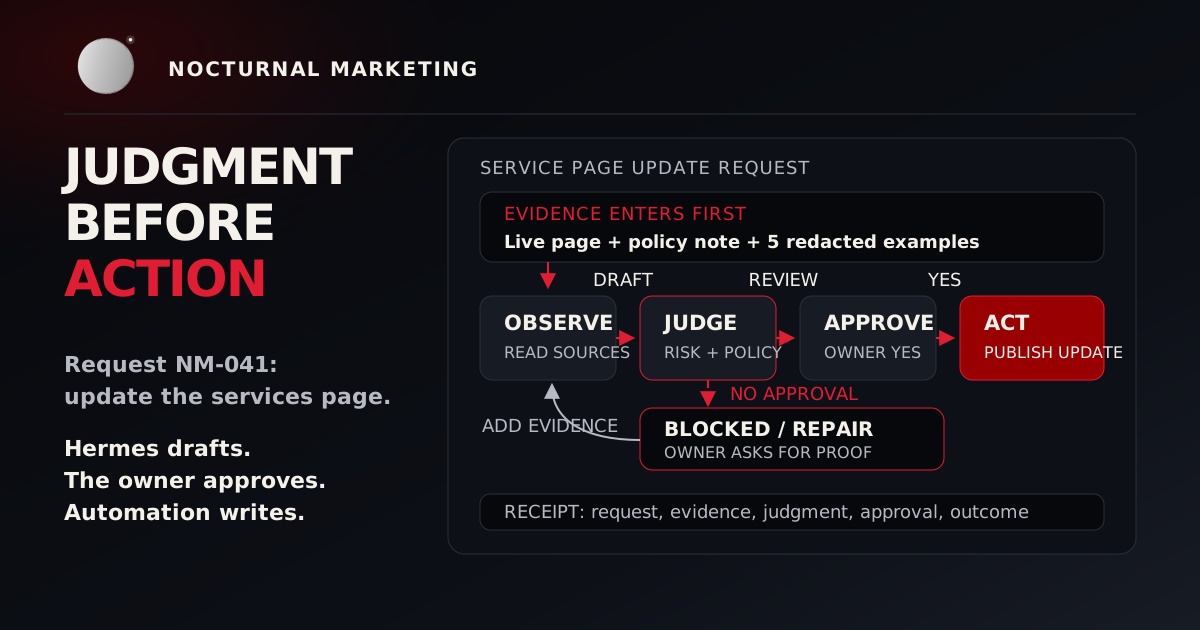
A handoff is controlled when the next owner, next state, fallback path, and audit trail are visible before the agent runs.
The five-record handoff test
Before you buy or build an AI agent, pull five real records from the workflow you want to automate.
Use records that represent the actual mess:
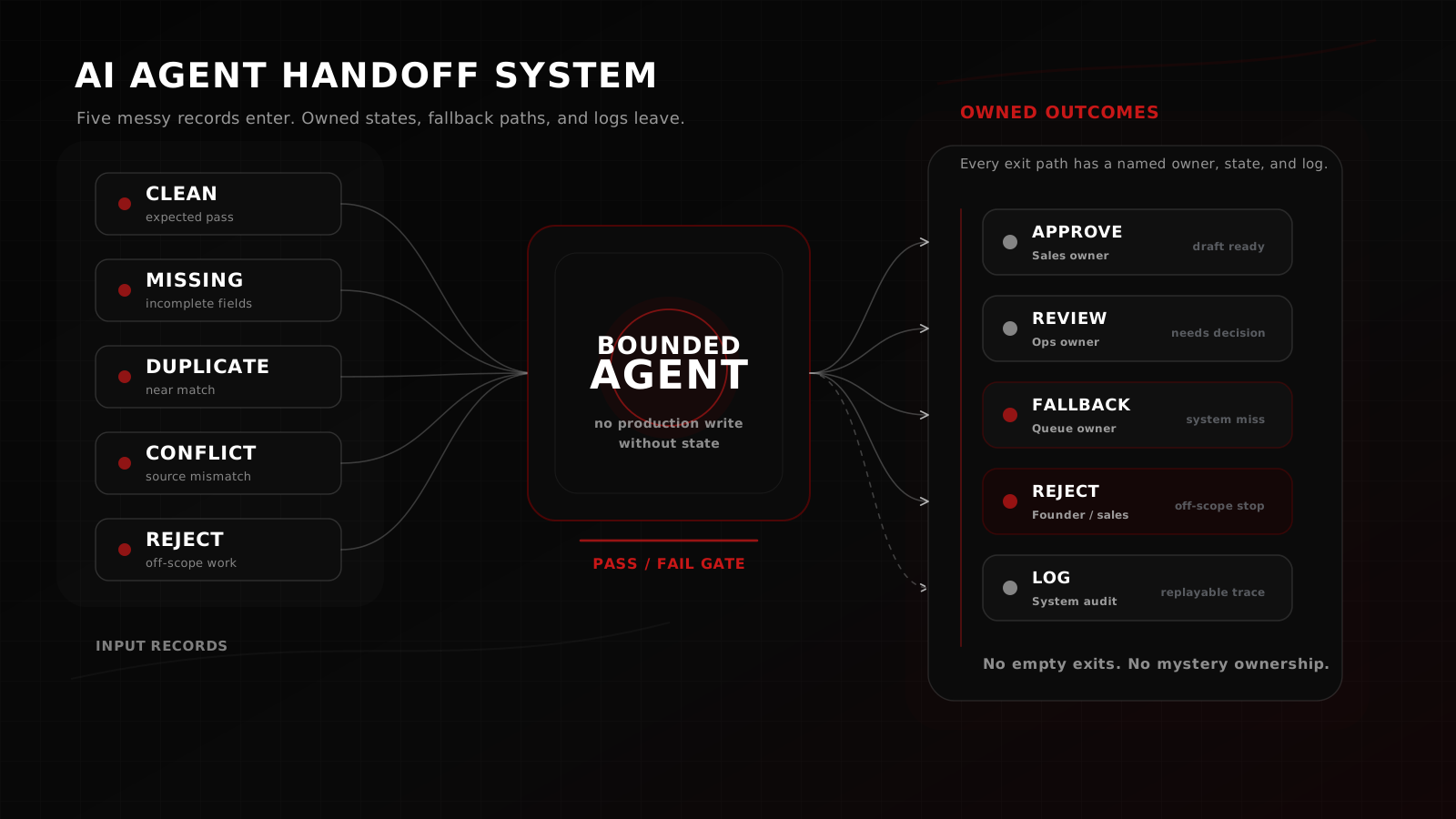
- One clean record that should pass.
- One incomplete record with missing fields.
- One duplicate or near duplicate.
- One record with conflicting signals.
- One record that should be rejected or escalated.
Do not clean the data first. Do not rewrite the examples to make the automation look better. Use the actual records your team sees on a bad Tuesday.
For each record, write the handoff as a table:
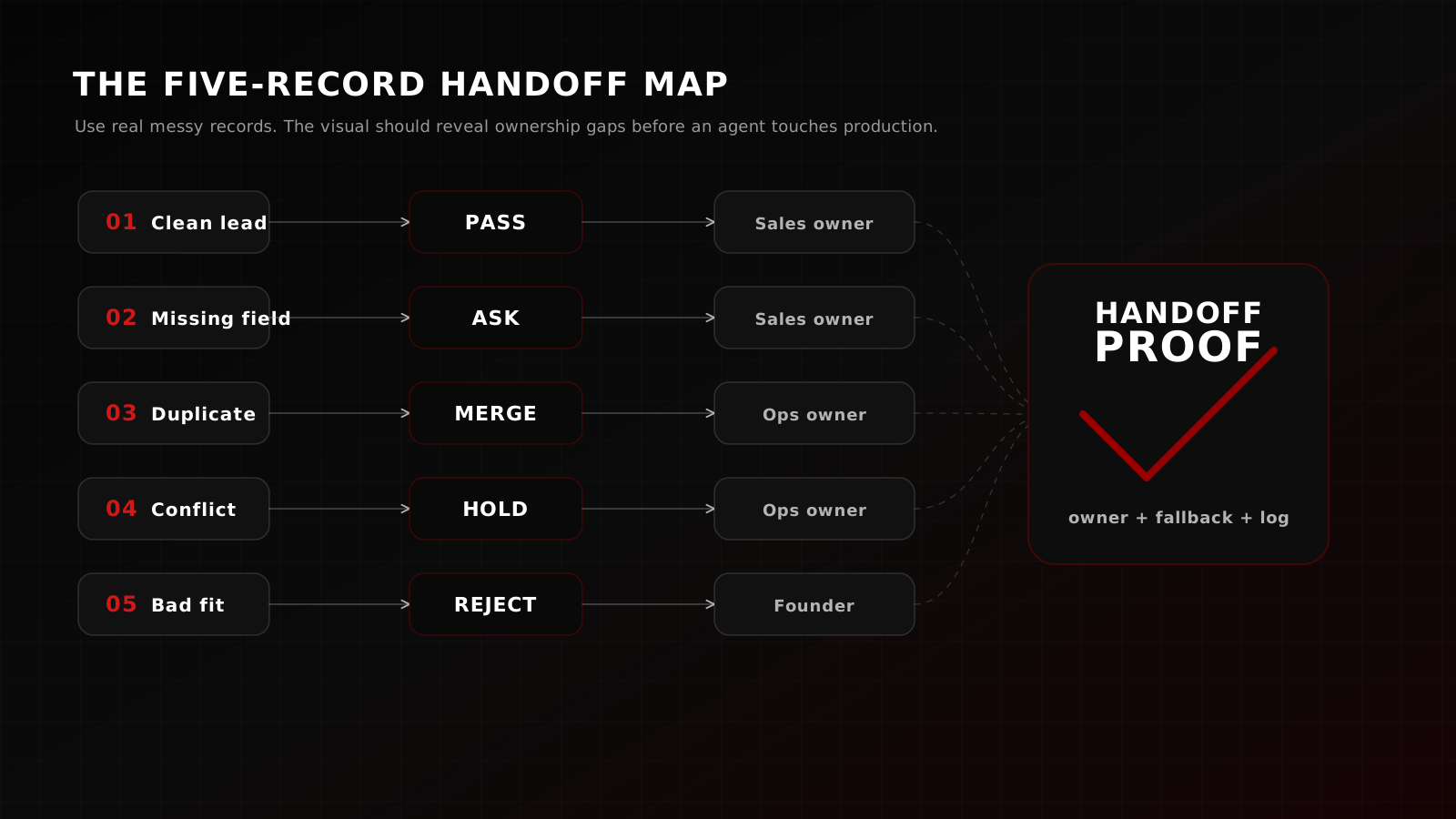
| Record | Agent action | Human owner | Fallback | Log required | Stop condition |
|---|---|---|---|---|---|
| Clean inbound lead | Score and draft first reply | Sales owner | Queue if CRM write fails | Score, rationale, draft, timestamp | Missing email or consent |
| Missing budget | Ask one clarifying question | Sales owner | Mark needs review | Missing field, generated question | No contact method |
| Duplicate lead | Link to existing account | Ops owner | Manual merge task | Matched account, confidence, source | Confidence below threshold |
| Conflicting source data | Hold for review | Ops owner | Review queue | Conflict fields, source IDs | Conflicts affect routing |
| Bad-fit request | Reject or route out | Founder or sales owner | No automated reply | Reject reason, owner, timestamp | Regulated, unsafe, or off-scope work |
The point is not to make the agent clever. The point is to expose whether the workflow can survive a normal failure.
If your team cannot fill the table for five records, the automation is not ready.
What to map before automating
Map the workflow in plain operational terms. One page is enough.
Start with the trigger. What starts the workflow? A form submission, a new email, a CRM stage change, an uploaded file, a calendar event, or a webhook?
Then map the allowed states. A lead might be new, qualified, needs review, duplicate, rejected, contacted, or archived. If the states are not explicit, the agent will invent a soft version of them in prose.
Next, define ownership. Every state needs a human owner or a queue owner. "The team" is not an owner. A Slack channel is not an owner. A dashboard nobody checks is not an owner.
Then define the write surface. Where is the agent allowed to write? CRM fields, internal notes, draft emails, project tasks, spreadsheet rows, or a review queue. Separate draft surfaces from production surfaces.
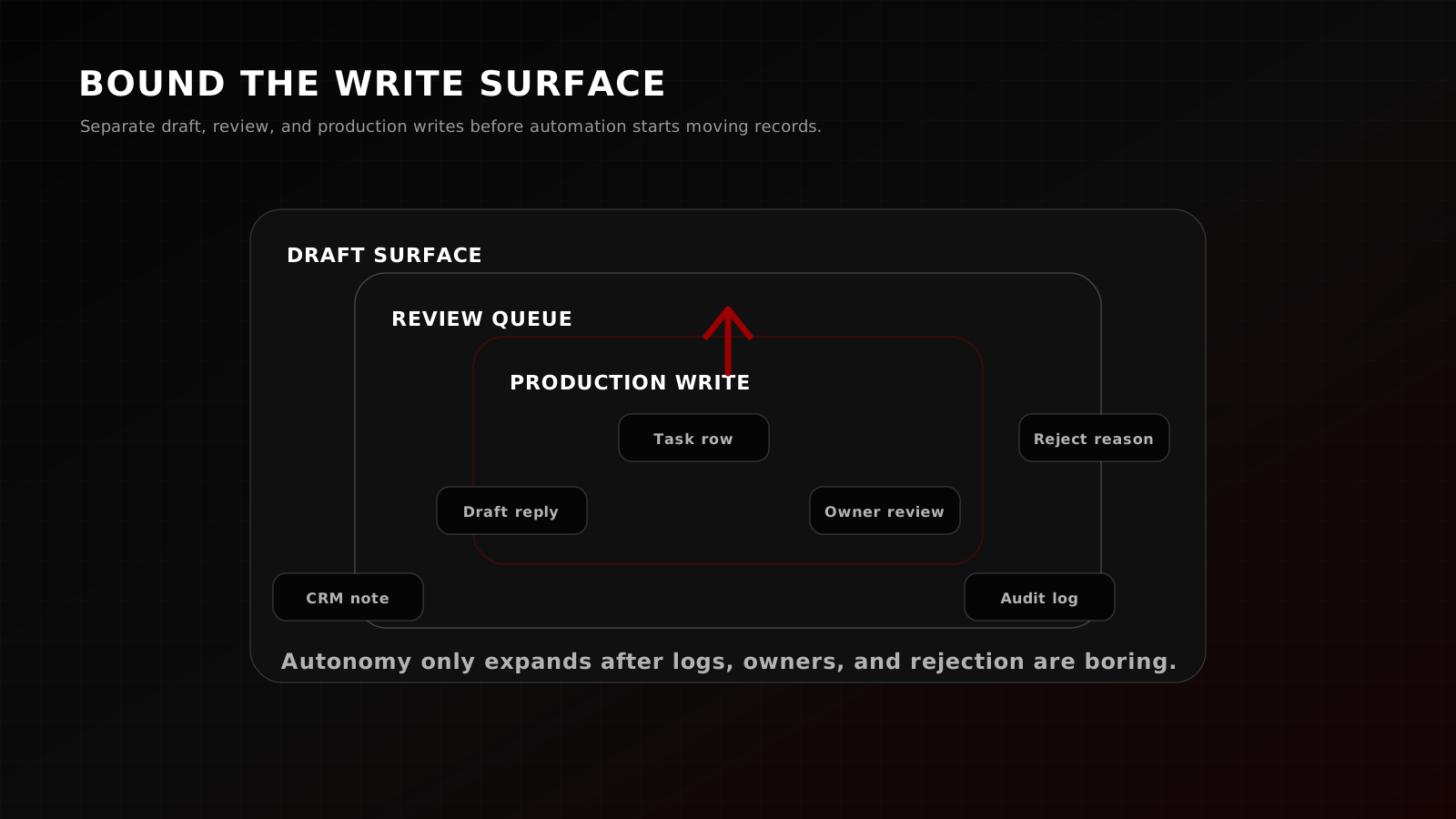
Finally, define the proof artifact. Every automated action should leave enough evidence for a human to answer three questions:
- What did the agent do?
- Why did it do that?
- What should happen next if the output is wrong?
If you cannot answer those questions from the log, you do not have an automation system. You have a black box with confidence language.
The reject case every AI workflow needs
A real workflow needs a reject case.
This is the record the agent should not process. It might be missing consent. It might contain a regulated request. It might be outside the offer. It might have low confidence. It might be a customer escalation that should go straight to a person.
Write the reject case before writing the happy path.
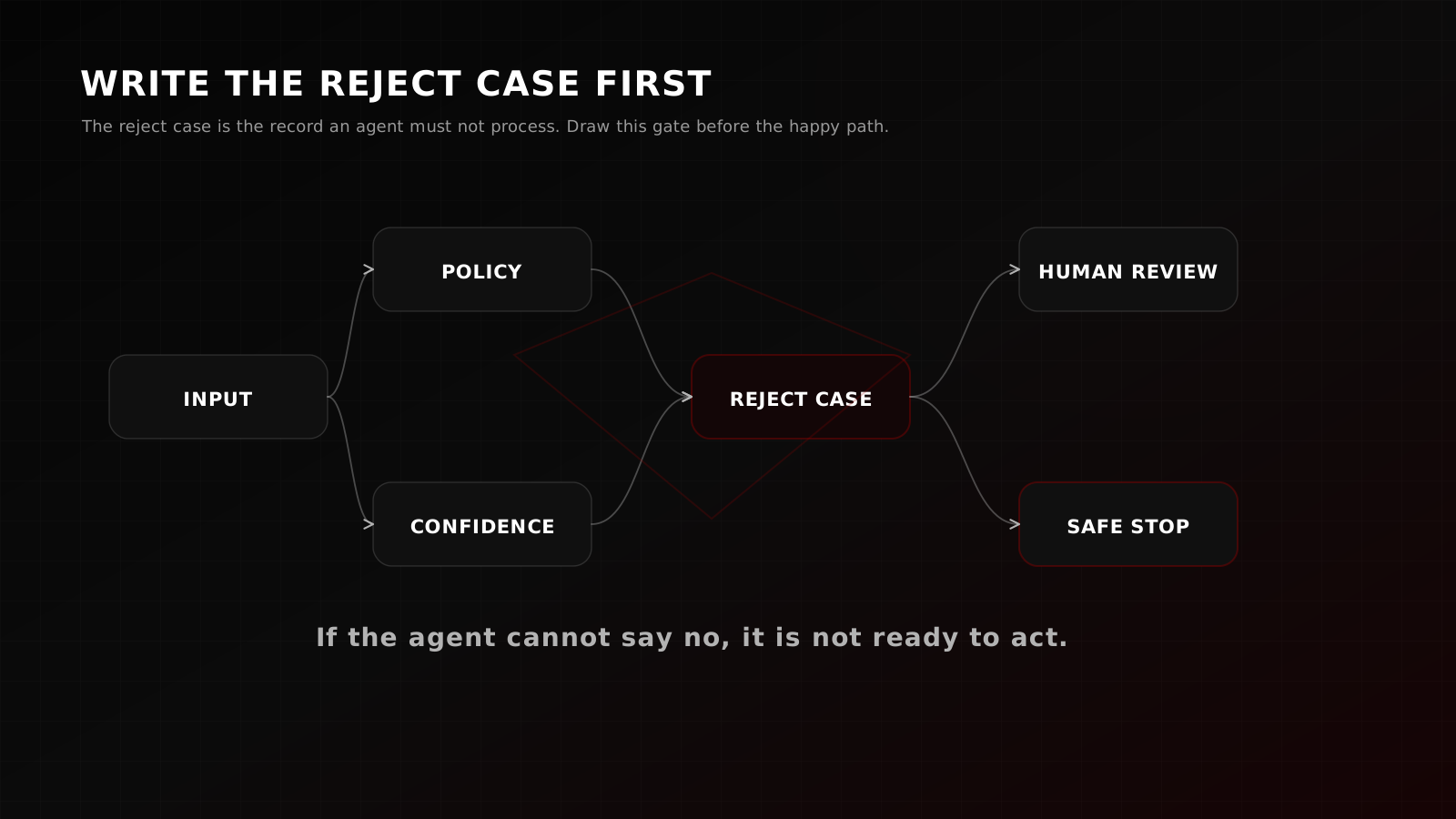
The reject case forces the system to answer the uncomfortable questions:
- What is the agent not allowed to do?
- What data makes the workflow unsafe or off-scope?
- Who owns rejected work?
- Does the customer get a response, a delay notice, or no automated message?
- What gets logged without leaking private data?
A workflow without a reject case will eventually treat a bad record like a normal record. That is where automation gets expensive.
Pass/fail criteria
The five-record test passes when each record has a visible path through the system.
Use these criteria:
- The trigger is explicit.
- The allowed output states are named.
- A human owner exists for every review, reject, and fallback state.
- The agent has a bounded write surface.
- The log records the input reference, action, rationale, timestamp, and owner.
- The reject case stops the agent from taking a production action.
- A person can replay the decision without reading the prompt history.
It fails when any step depends on vibes.
"Someone will notice" is a fail.
"The model should be smart enough" is a fail.
"We will handle exceptions manually" is a fail unless the manual path has an owner, queue, and service expectation.
The test is small on purpose. Five records are enough to reveal missing ownership, missing states, hidden data cleanup, and unsafe write permissions.
What to do after the test
If the handoff passes, build the smallest useful agent.
Start with one workflow, one trigger, one write surface, and one review queue. Ship logs before polish. Ship rejection before expansion. Add autonomy only after the failure modes are boring.
If the handoff fails, do not buy another tool yet. Fix the workflow map.
Usually the first repair is not a better prompt. It is one of these:
- Add a review state.
- Create a queue owner.
- Split draft and production writes.
- Define a reject reason taxonomy.
- Add a required field before intake.
- Make the log readable by the person on call.
That work feels less exciting than an agent demo. It is also the part that determines whether automation saves time or creates cleanup work.
Bring the broken flow
If the handoff fails, show us the broken flow.
Nocturnal runs fixed-scope Systems Sprints for teams that need the workflow mapped before automation touches production. Bring five messy records. We will trace the owner, fallback, log, and reject path before recommending an agent.