Google Search Console impressions dropped 51 percent in 14 days at a Midwest firearms retailer. That drop was the deliverable. Operators read it as a regression.
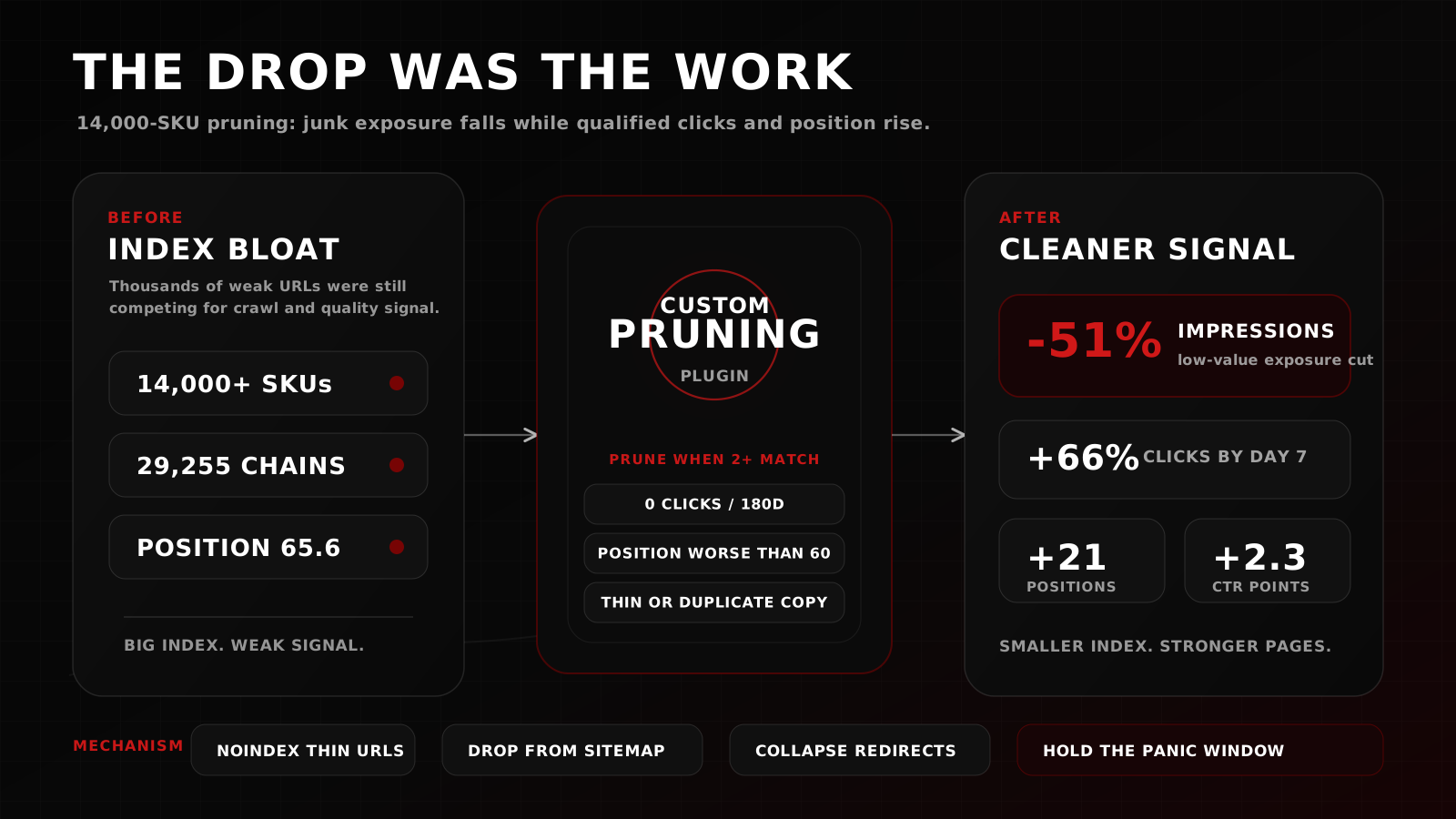
The custom Nocturnal SEO plugin we shipped in late 2025 ran a deliberate pruning low-value pages SEO strategy across a 14,000-SKU WooCommerce catalog. Over the same 14-day window, clicks rose 8.4 percent, click-through rate gained 2.3 percentage points, and average Google position improved 21 places.
The post most operators read about pruning ends with the success numbers. This one starts with the panic moment, because that is where most pruning campaigns get killed before they compound.
What impressions actually measure
Most teams misread impressions. They treat the number as "how visible we are" when Google treats it as "we showed your page somewhere to someone." Those are two different metrics.
A bloated catalog with thousands of thin, duplicate, or low-intent product pages will rack up impressions while burying every page that actually deserves to rank. Pruning low-value pages SEO work is the corrective.
What Google Search Console actually counts as an impression
An impression fires when a result links to your site and is seen, or could have been seen, by a searcher. It does not require a click. It does not require the searcher to scroll. It does not require relevance. If your URL was in the rendered SERP, you got an impression.
An impression is a participation metric. It measures presence in the SERP. A page that triggers 50,000 impressions per month at position 78 with a 0.1 percent click-through rate is filler.
Why a sprawling ecommerce catalog inflates impressions and depresses position
WooCommerce sites, Shopify catalogs, and any platform that auto-generates product permalinks at scale tend to push thousands of product variants, tag pages, attribute combinations, and search-result URLs into Google's index. Each one fires impressions on long-tail queries. Each one dilutes the site's average position.
The retailer in this case study sat on 14,000-plus SKUs with a distributor-locked DNS architecture that re-slugged products every time inventory cycled. The result was a 29,255-redirect-chain pile by mid-2025 and an indexed footprint that made the site look enormous to Google and unfocused on the queries that mattered.
The inherited architecture
Before the pruning campaign, the site had spent six months generating 303 organic clicks, 10,400 impressions, a 2.9 percent click-through rate, and an average Google position of 65.6. Roughly one day in three produced zero organic clicks.
The problem is architectural.
How distributor-locked DNS makes every SEO fix harder
Many firearms ecommerce platforms ship with distributor-locked DNS hosting. The retailer signs up, plugs in a supplier feed, and gets a turnkey storefront in exchange for surrendering domain-level control. Cache headers, redirect rules, sitemap submission, indexable URL patterns, and canonical tags become things the retailer cannot fully edit.
Migration to an independent VPS broke the lock. That migration is its own case study. The point for this post is that without DNS-level control, there is no real pruning campaign to run.
How slug churn becomes redirect-chain debt
The retailer's distributor feed generated product slugs from titles. When a SKU went out of stock and was later re-added, the slug regenerated. Each cycle created a fresh URL. Each old URL pointed at a 301. Over time, the 301s chained into other 301s, and Google saw a site that could not commit to its own canonical structure.
By mid-2025, the chain count had hit 29,255. That number is not a typo. Every dilution of link equity, every wasted crawl budget, every confused canonical signal lived in that pile.
Replacing RankMath with a custom pruning plugin
RankMath is competent at on-page rule-following. It is not built to triage 29,255 redirect chains, identify which of 14,000 indexed product URLs deserve to stay indexed, and apply programmatic noindex tags to thin or duplicate surfaces without breaking the WooCommerce admin UI.
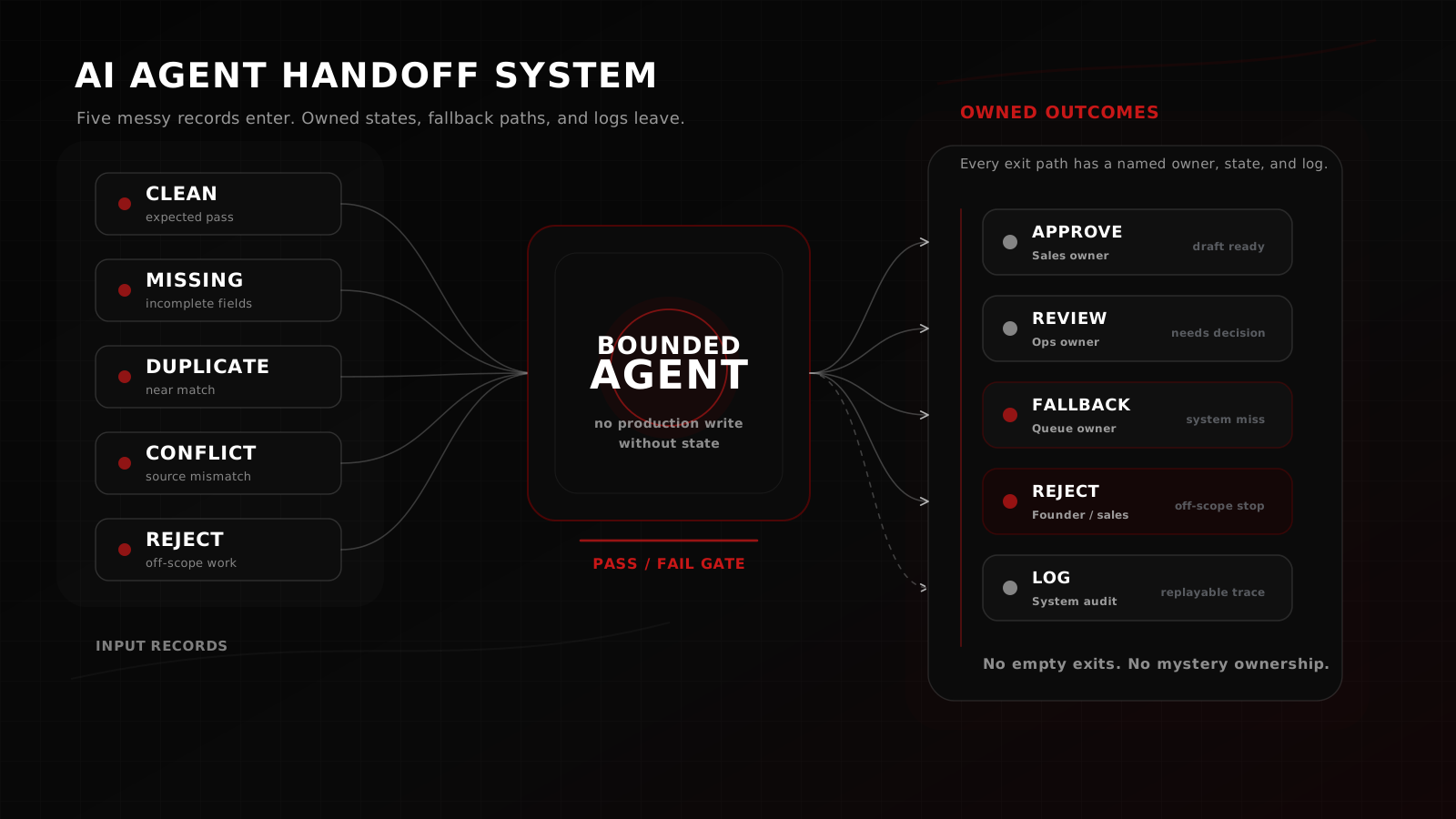
That is the same build-versus-buy gate we apply to any production workflow, the same handoff principles we apply before automating any production workflow. If the off-the-shelf tool cannot answer the failure modes, you build the bounded version that can.
What RankMath could not do for a 14,000-SKU catalog
Three operational gaps drove the build decision:
- Bulk-pattern detection across the redirect-chain pile. RankMath surfaces individual redirects without mapping the chained graph.
- Programmatic noindex rules tied to product attributes such as in-stock state, parent category depth, last-modified age, and click history.
- Surgical sitemap regeneration that excluded the pruned pages without forcing a full reindex submission for every change.
The pruning ruleset, in plain language
The plugin pruned a page when it met two or more of the following:
- Zero clicks in the last 180 days of GSC data.
- Average position worse than 60 across the same window.
- Thin content under 150 words of unique copy not duplicated elsewhere in the catalog.
- Identified as the terminal endpoint of a redirect chain of length three or greater.
- Out-of-stock for more than 90 days with no replenishment signal from the supplier feed.
A pruned page received a noindex tag, dropped from the regenerated sitemap, and consolidated any inbound redirect chain into a single hop toward its parent category. Production WooCommerce admin pages were never touched.
Inside the 14-day window
The 14-day window opens the morning after deployment in late 2025. Data source: Google Search Console, single property, full coverage.
Day-by-day shape of the curve
Impressions started dropping within 48 hours of the plugin going live. Google recrawled the affected URLs, processed the noindex tags, and removed them from the indexed pool. That dropped the participation count fast.
Clicks moved in the opposite direction. By day 3, daily clicks were trending up. By day 7, clicks had climbed 66 percent against the pre-deploy baseline. By day 14, the click number had settled into a new normal at 8.4 percent above baseline.
Average position improved 21 places across the same window. CTR climbed 2.3 percentage points. The two metrics moved together because the same mechanism drove both. Fewer junk pages competing on the wrong queries meant the surviving pages ranked higher and converted more clicks.
Why the 51 percent drop was the work
A 51 percent impression drop sounds catastrophic until you remember what an impression is. The page that no longer fires an impression at position 92 was contributing nothing. Removing it does not cost real traffic. Removing it sharpens the quality signal Google reads from the site.
The retailer's domain went from "this site has thousands of weak pages" to "this site has hundreds of focused pages" in 14 days.
Why most teams revert before the compound hits
Most pruning campaigns die in the first 14 days because the dashboard looks like a fire. The marketing lead emails the agency. The CFO asks why traffic is down. The founder cancels the next sprint.
That panic kills the compound. The compound is real. We have measured it on the same property at the 90-day mark, where the broader rebuild, architecture migration plus pruning plus content cadence, drove clicks up 106 percent, impressions up 63 percent, and average position improved 14.64 places versus a six-month pre-rebuild baseline.
The 90-day numbers are directional context. Do not add them to the 14-day numbers above. They prove the compound exists. The teams who hold the line through the first 14 days are the ones who see it.
The panic-revert pattern
The pattern looks like this. Dashboard alerts trigger inside the first week. A screenshot lands in a Slack channel. Someone uses the word "tank." The campaign gets rolled back before day 21.
Rolling back republishes the noindex tags as indexable, restores the redirect chains, and locks in the index bloat the plugin was designed to clear. The site goes back to its old impression numbers and its old conversion floor. The campaign reads as a failure. The next pruning recommendation gets rejected by leadership.
What compounding looks like at 90 days
Pruning works because Google's crawl budget, quality signal, and canonical resolution all reward focus. Once the index is clean, every new piece of content competes on a stronger foundation. Each subsequent campaign, new product launches, seasonal content, link acquisition, lands on a sharper baseline.
The math compounds. The retailers who measure SEO on 90-day windows see the curve. The retailers who measure SEO on 14-day windows panic-revert and never find out.
FAQ
When your impressions drop next
If your ecommerce site has six-figure monthly impressions and a click-through rate under 1 percent, the index is the bottleneck.
The next time the dashboard turns red, check the catalog first. Most teams patch the content. The retailers who win check the index.
Bring the index that is hurting you
Nocturnal runs fixed-scope Systems Sprints for ecommerce teams sitting on index bloat, redirect-chain debt, and SEO plugins that cannot keep up. Bring your Google Search Console export. We will map the pruning candidates before touching production.
Book a Systems Sprint